
Most traders do not have a strategy problem. They have an “I never reviewed my last 30 trades” problem. The best free trading journal software helps fix that by making every trade simple to record, review, and learn from.
For an all-in-one workflow, our pick is Traders Journal. It gives you unlimited journaling, live charts, analytics, backtesting and one free broker auto-sync in one workspace. TraderWaves syncs the most accounts free, Stonk Journal is strong for old-school manual journaling, UltraTrader is the mobile-first pick if you will pay, and TradesViz gives stock traders a large free import allowance.
We checked every free plan against its own public pricing page on 6 August 2026. Features and prices change often, so open the linked official pages before moving years of trade data into any platform.
Quick Comparison: 5 Free Trading Journal Apps
| Feature (free plan) | Traders Journal | TraderWaves | Stonk Journal | UltraTrader | TradesViz |
|---|---|---|---|---|---|
| Free Plan Type | Free forever | Free forever | Free forever | Free forever | Free with limits |
| Paid Plan Price | $12/month (₹499/month) | $29.99/month | $10/month | $19/month | From $19/month |
| Free Trade Limit | Unlimited | Unlimited | Unlimited | Unlimited closed, 8 open at once | 3,000 executions/month |
| Screenshots | IncludedUnlimited | IncludedUnlimited | Included | Paid plan only | Included |
| Broker Auto-Sync | Included1 connection (756+ brokers) | Included3 accounts (700+ brokers) | Not available | Paid plan only | Not available |
| CSV / Statement Import | IncludedAny broker | Included | Paid plan only | Paid plan only | Stocks only |
| AI Trade Logging | IncludedScreenshot & plain language | Paid plan only (Wave AI) | Paid plan only (AI Coach) | Paid plan only (Telegram bot) | Paid plan only |
| Equity Curve & Drawdown | Included | Paid plan only | Included | Included | Included |
| Backtesting | Included10 sessions/day | Paid plan only | Not available | Paper trading only | Paid plan only |
| Bar Replay | Included | Paid plan only | Not available | Paid plan only | Paid plan only |
| Live Charting | IncludedSuper Charts | IncludedBasic | Not available | Not available | Not available |
| Supported Markets | Multiple asset classes | Forex, crypto, futures, equities | Multiple asset classes | Crypto, forex, stocks (no futures) | Stocks only on free plan |
| Risk Rules | Multi-step questionnaire | Basic | 10 rule types | Basic | Basic |
| P&L Calendar | Included | Included | Included | Included | Included |
| Emotion & Mistake Tracking | Included | Tags and notes | Included | Tags and templates | Included |
| Multiple Trading Accounts | Included | Up to 3 | Unlimited | 1 portfolio | One account |
| Offline Access | Not available | Not available | Offline PWA | Not available | Not available |
| Mobile Access | PWA — installs on PC, Mac, Android & iOS | Native iOS and Android apps | Installable PWA | Native iOS and Android apps | Native iOS and Android apps |
| Credit Card Required | No | No | No | No | No |
| Best Suited For | All-in-one workflow with testing | Syncing several accounts free | Simple, old-school journaling | Mobile-first crypto and forex | Basic stock journaling |
The table is a starting point, not a winner generator. A forex trader, an options trader, and a stock swing trader do not need the same thing. First, understand what a useful trading journal should record, then pick for your actual workflow.
Price matters too. Traders Journal pricing starts with a free plan, and Premium is $12 per month (or $119 a year), while TraderWaves Pro is $29.99 and TradeZella is around $35 per month. Our free TradeZella alternative comparison explains the workflow difference. Paying more does not automatically make the review more useful.
What “Free” Actually Means on a Trading Journal
Every tool on this page says “free”. The word is doing five different jobs. Before you compare features, work out which kind of free you are being offered, because that decides whether your journal survives month three.
- Free forever, no meaningful cap: you can journal indefinitely without paying. Traders Journal, TraderWaves, and Stonk Journal all sit here for core journaling.
- Free with a volume cap: free until you cross a number. TradesViz allows 3,000 executions per month; UltraTrader allows unlimited closed trades but only 8 open at a time.
- Free but feature-gated: generous trade limits, with the useful parts removed. UltraTrader's free plan blocks image upload, CSV import and broker connections at once, so you type every trade in without a chart. Stonk Journal's free plan blocks only CSV import.
- Free trial dressed as a free plan: full access for 7 or 14 days, then a paywall and your data held hostage. None of the five here do this — every one has a free tier that never expires, which is exactly why they are on the list. Some, including ours, also offer a separate timed trial of the paid plan; that is fine, as long as the free tier underneath it is real.
- Free but you are the product: no cash price, funded by broker referral spreads or by selling aggregated order flow data. Read the privacy policy before you connect a live brokerage account.
The gated-feature category is the one that catches people out. A journal that cannot store the screenshot is not cheaper than one that can — it just fails later, after you have already entered 200 trades into it.
There is a second hidden cost: export. Before you commit, check that you can get your trades out as CSV on the free plan. A journal you cannot leave is not free, whatever the price says.
How We Tested These Trading Journals

Every plan on this page was checked against the vendor's own public pricing page on 6 August 2026, on the free tier, without a credit card. Where a limit is published we quote the published number; where a vendor does not disclose something, we say “not publicly disclosed” instead of guessing. Check us: Traders Journal, TraderWaves, Stonk Journal, UltraTrader and TradesViz all publish these plans openly. We looked at the parts that decide whether a free trading journal is still being used in month three:
- Free-plan limits: trade caps, open-position caps, import limits, storage, locked analytics, and trial expiry.
- Review quality: screenshots, notes, tags, mistakes, emotions, and breakdowns you would actually read on a Sunday.
- Getting data in: manual entry, CSV, broker statements, and automatic sync — and which of those survive on the free tier.
- Workflow: how easily you move from a chart to a journal entry and then to a review.
- Market fit: support for stocks, forex, futures, options, crypto, NSE, and BSE.
- Growth path: whether the product still fits when you need imports, more data, or testing — and what leaving costs you.
We did not award points for vague claims such as “AI-powered” or “professional-grade”. A useful feature must help you log a trade, understand a pattern, test an idea, or make the next review clearer.
Our conflict of interest, stated plainly: Traders Journal is the product we build. We rank it first, so you should discount that ranking accordingly and go test the others. What we can promise instead is that we name the rows where the competition beats us — and there are several below, including TraderWaves syncing three broker accounts free where we allow one, and offering unlimited screenshot storage where we cap the free tier. A comparison that never loses a row is an advertisement.
Written and reviewed by Avinash, who has been trading since 2020 — through spreadsheet journaling, discretionary execution, rule-based Indian index options automation, and now long-term investing. The journaling opinions here come from that sequence, and the full background is on the about page.
1. Traders Journal: Best All-in-One Workflow
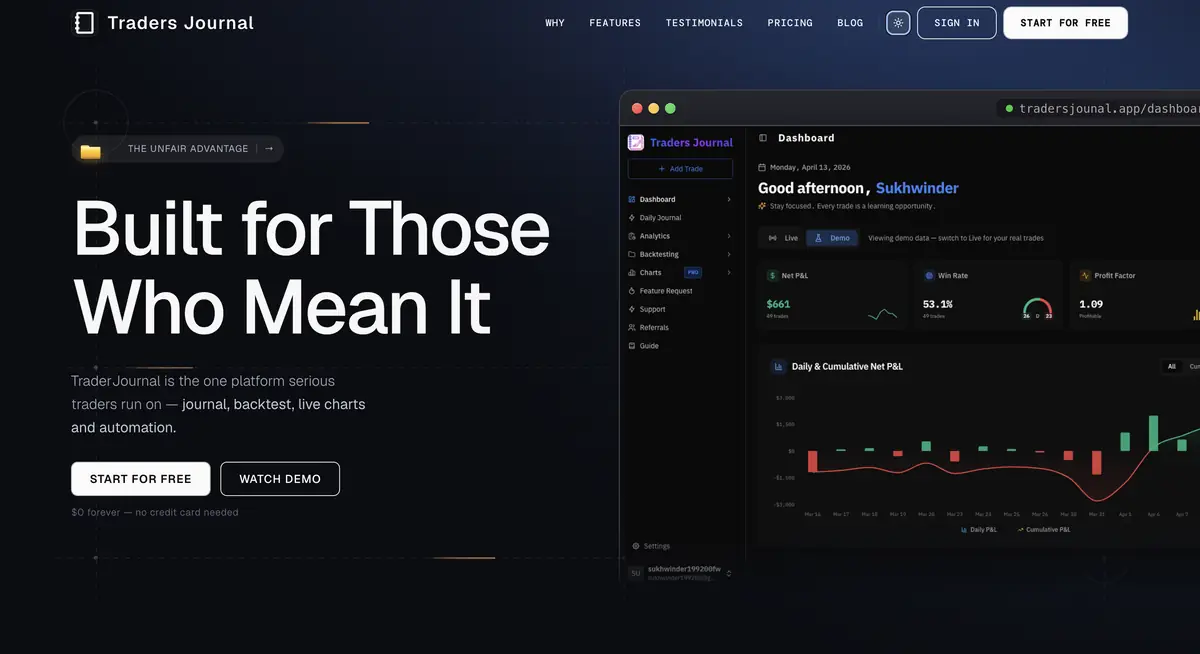
Traders Journal connects live charting, unlimited trade journaling, analytics, strategy building, bar replay, and backtesting. It feels like one complete trading workspace instead of a collection of disconnected free tools.
Its main advantage is simple: the chart, journal, backtest, and analytics live in one workflow. You can review a setup without keeping one tab for charts, one spreadsheet for trades, and another tool for historical testing. If testing is the main need, compare the best no-code backtesting software before choosing. Fewer tools means less switching and a cleaner trail from idea to evidence.
The part that changes the daily habit most is how a trade gets in. You can upload a screenshot of your position and have it parsed into a logged trade, or simply describe the trade in a sentence and let it fill the fields. Both are on the free plan. That matters because the journal that dies is always the one that asked for twelve fields at 3pm on a busy Thursday.
What works well
- Unlimited journaling, live charts, tagging, analytics, and backtesting are connected.
- AI logging from a screenshot or a plain sentence — free, and not matched by anything else in this list.
- One automated broker connection on the free plan, covering 756+ brokers through direct sync and MT4/MT5 terminals.
- Statement and CSV import works with effectively any broker worldwide, on the free plan.
- Journaling covers forex, futures, stocks, crypto, NSE/BSE, US stocks, and ETFs.
- P&L heatmaps, multiple accounts, risk rules, emotions, and mistakes are included.
- Backtesting and bar replay are on the free plan — capped at 10 sessions a day, but free, which no other tool here matches.
What to know before choosing it
Free gives you one automated broker connection, not three. That covers 756+ brokers through MT4 and MT5, and it is enough if you trade one account — but if you run several at once, TraderWaves syncs three on its free plan and we do not. Premium raises it to 25. Either way you are not stuck: statement and CSV import works with effectively any broker on the free plan, so a second account is a file upload rather than a paywall.
Free media storage is 200 MB, which sounds small and is not: chart screenshots run about 200 KB each, so it holds roughly 1,000–2,000 images. It exists to stop spam, not to push you to upgrade — message support and we raise it. Premium is $12 a month or $119 a year, and adds unlimited backtesting, 4 chart panes and realtime NSE/BSE data.
This is the platform we build, so weigh our verdict accordingly. The useful test is not our opinion — open it, log ten real trades, run one review, and see whether it reduces friction for you.
2. TraderWaves: Best Free Multi-Account Sync
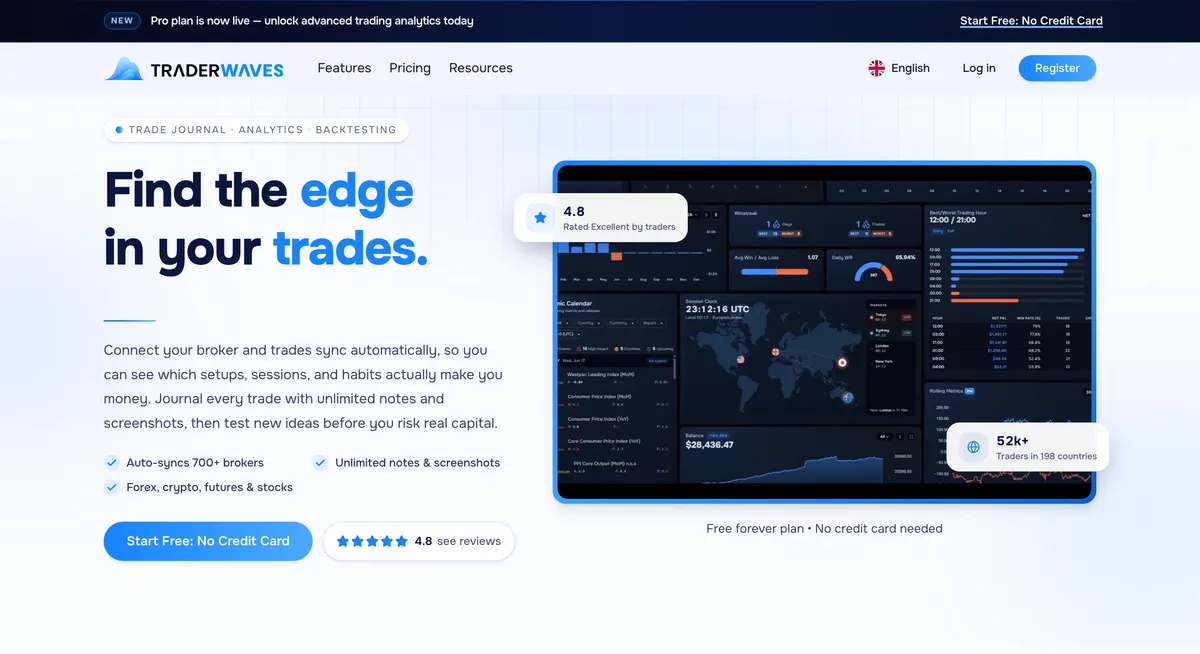
TraderWaves is a journal and analytics workspace covering forex, crypto, futures, and equities, with backtesting on its paid tier. Its free Essential plan is the most generous free import we found in this comparison: automatic sync from 700+ brokers across up to three connected accounts, plus CSV import, with no credit card.
Free users also get unlimited notes and screenshot uploads, a customisable analytics dashboard, a P&L and economic calendar, charts with indicators and drawings, and a market watchlist. The analytics lean toward session and setup breakdowns — which pairs, which sessions, and which habits actually make money — which is the right question for a discretionary forex or crypto trader.
What works well
- Automatic broker sync on the free plan, covering 700+ brokers and up to three accounts.
- Unlimited notes and screenshots, with no storage cap published.
- Analytics filter by account, pair, session, setup, or tag.
- Native iOS and Android apps, plus a mobile-optimised web platform.
What to know before choosing it
The free plan is generous on getting data in and noticeably tighter on what you can do with it once it is there. Sitting behind the $29.99 per month Pro plan:
- Backtesting — you cannot test an idea against history without paying.
- Equity curve and drawdown analytics — the two numbers most traders actually review. Every other tool in this comparison includes these free.
- Wave AI coach and AI trade insights.
- Advanced charts — session overlays and price alerts; free charts stay basic.
- Unlimited accounts — free stops at three, which binds if you run prop-firm evaluations.
Annual billing brings Pro to $239.88 a year, an effective $19.99 a month. None of this makes the free plan a bad deal — three free synced accounts is more than anyone else here offers, including us, and it works well. It is simply worth knowing that the free tier is built for recording trades rather than analysing or testing them, so check that the paid ceiling suits you before you move years of history across.
3. Stonk Journal: Best for Unlimited Manual Entries
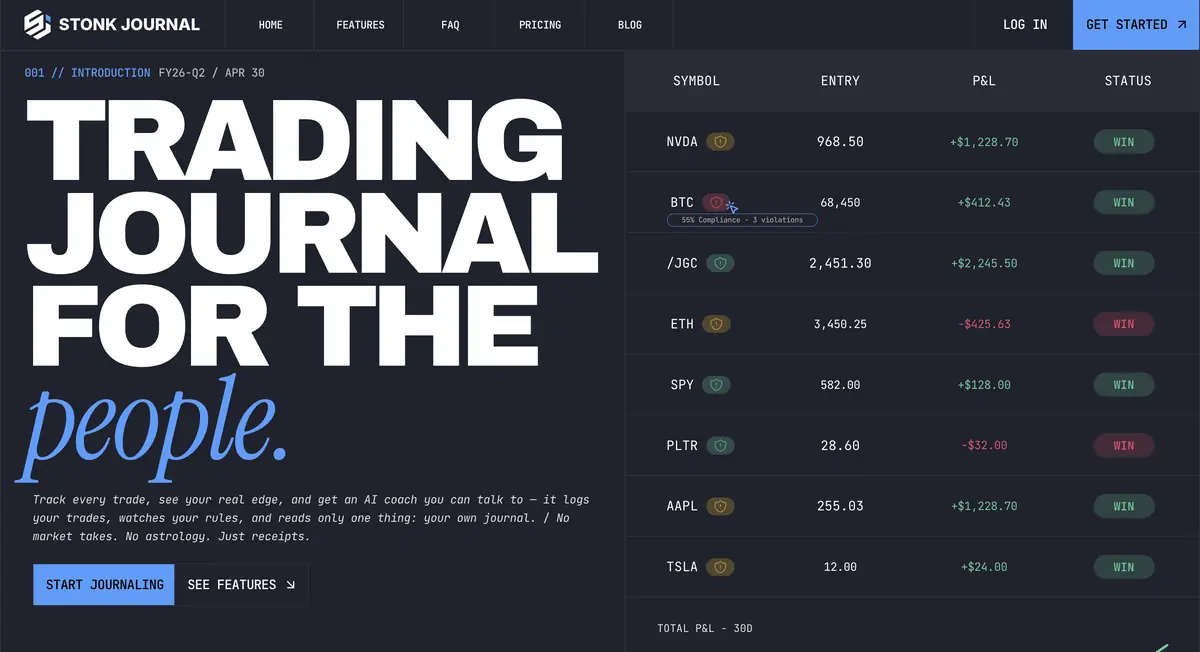
Stonk Journal offers unlimited manual trades on its free plan with no credit card. It supports stocks, options, futures, forex, crypto, and indices. Its free tools include statistics, an equity curve, a calendar, risk rules, multiple accounts, trade setups, and share links.
The offline-first PWA is useful if you want a journal that works on desktop or mobile and can continue without a connection. Multi-leg options are supported, which matters for traders using spreads instead of simple buy and sell entries.
What works well
- Unlimited manual trade entries and all major market types are free.
- Risk rules and weighted compliance scores support process review.
- The PWA works offline and syncs later.
- The free plan includes core analytics rather than only a basic trade list.
- Unlimited accounts as well as unlimited trades — the only tool here that caps neither. Screenshot support appears to be included on the free plan, though Stonk Journal does not state a storage limit either way.
What to know before choosing it
CSV import and the AI Coach are part of the $10 per month Pro plan. That makes the free level a good fit when you are happy to enter trades manually. For a high-volume trader, manual entry can become the exact habit that quietly disappears after a busy week.
4. UltraTrader: Best Mobile-First Journal
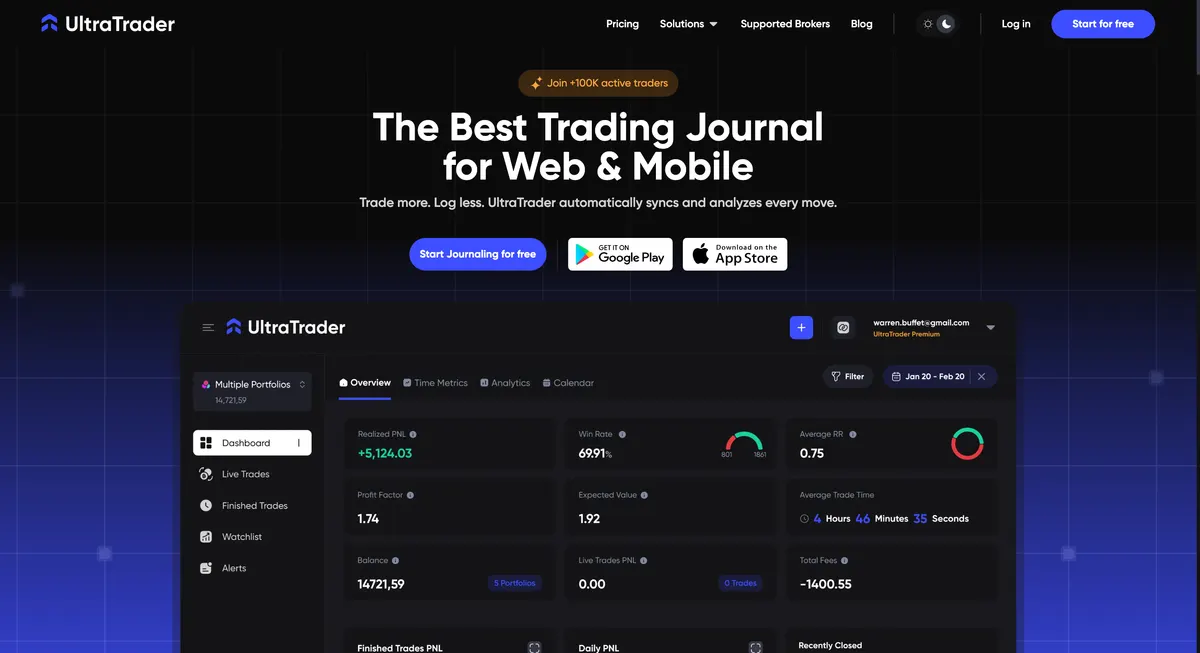
UltraTrader is the only tool here that is genuinely mobile-first rather than a web app with a phone version. It covers crypto, forex, and stocks, and its paid plan auto-syncs with exchanges such as Binance, Bybit, OKX and KuCoin, plus TradeLocker, cTrader, and 500+ MetaTrader 4 and 5 brokers. On mobile it is the most pleasant of the five to actually use.
The free plan, however, is the most restricted here — and the restrictions are not the ones the marketing implies. Read the next paragraph before you invest a month in it.
What works well
- Genuine native iOS and Android apps, designed phone-first rather than shrunk down.
- Unlimited finished trades and the full performance dashboard on the free plan.
- Trade tagging, templates, and a performance calendar are included.
- Broad broker and exchange coverage once you pay, including most crypto venues.
- A Telegram bot on the paid plan lets you log a trade by messaging it in plain language — the closest thing here to our own natural-language logging, though it costs money and lives outside the app.
What to know before choosing it
Checking the plan comparison table rather than the landing page changes the picture. On the free tier, broker connections, CSV import, and image upload are all marked unavailable. That means no automatic sync, no bulk history import, and no chart screenshots — every trade is typed in by hand, without the picture. You also get 1 portfolio and a cap of 8 live trades at once.
So UltraTrader free is best understood as a polished mobile manual tracker, not a full journal. That is a fair thing to offer; it is just not what “free trading journal with automatic sync” suggests, and it is the one plan here we would not recommend building a review habit on. Futures are not supported at all. Premium is listed at $19 per month, dropping to $9 a month if you pay annually — the second-priciest month-to-month upgrade here after TraderWaves.
5. TradesViz: Best for Basic Stock Journaling
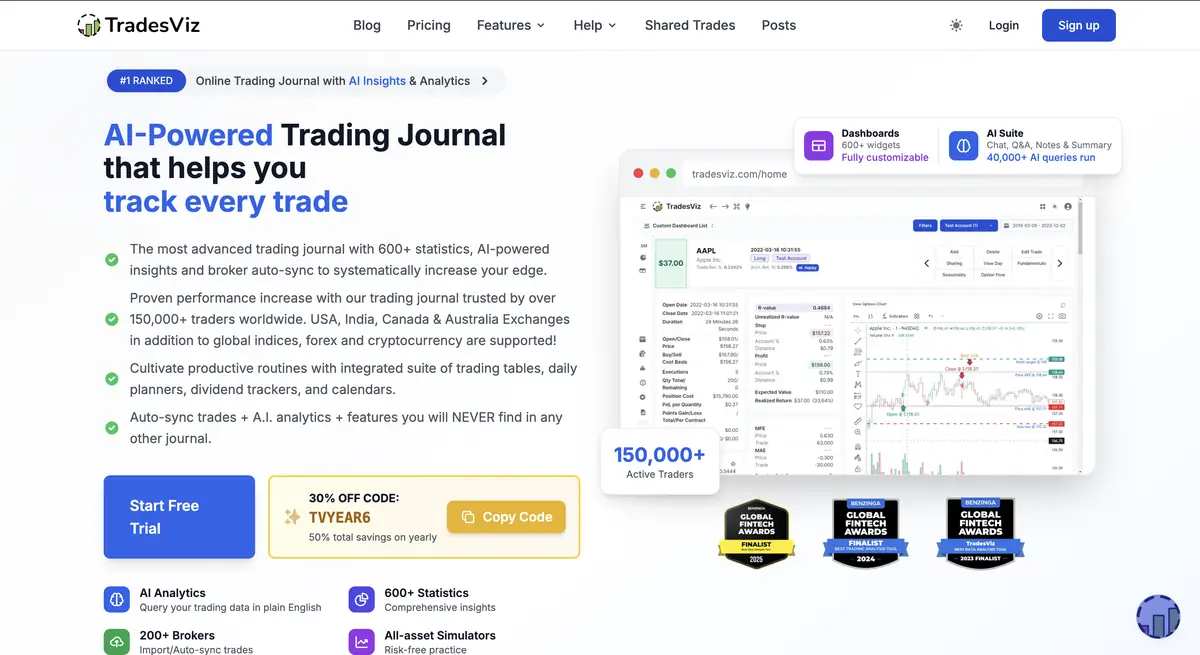
TradesViz has a limited free plan with up to 3,000 imported stock executions per month, basic risk rules, a P&L calendar, mistake tracking, and one account. No credit card is required.
That limit is useful for stock traders who want basic journal data without manual formulas. The mobile apps are useful, but most advanced tools and wider asset support sit behind paid plans.
What works well
- Up to 3,000 stock executions can be imported each month for free.
- Basic risk rules, a P&L calendar, and mistake tracking are included.
- Stock CSV import and iOS and Android access are available.
- It has a clear paid path for deeper analytics and more asset types.
What to know before choosing it
The free plan is for stocks. Options, futures, forex, crypto, CFDs, unlimited imports, advanced analytics, AI tools, and broader simulation features sit in paid plans. If you trade several asset types, compare the paid cost before building your entire review process there.
What to Actually Record in a Trading Journal
Around mid-to-late 2021, I logged entries, exits, and thoughts in Excel. It calculated the ratios, but it could not show what I saw on the chart. I moved to a private Telegram channel so every trade could include a screenshot, annotations, and the reason behind it.
The lesson was simple: numbers tell you what happened. Context tells you why.
- Before entry: setup, market condition, entry reason, stop loss, target, and planned risk.
- During the trade: entry, size, changes to the plan, and emotion.
- After exit: result, screenshot, rule-following, mistake, and one clear lesson.
- For review: setup tags, day, session, instrument, and repeated behaviour.
A free trading journal app should make this easy to review later. If your journal only has winners, congratulations. You invented fiction.
If you would rather start from a structure than a blank page, our free trading journal template lays out these fields in the order you actually fill them in. Once you have thirty or so entries, the next step is reading the data back — a journal you never review is just expensive typing. Options traders should also log leg-level detail, which the options trading journal guide covers — and before a leg goes live, the options profit calculator shows breakeven and max loss up front.
How to Choose the Right Trading Journal
The best trading journal is the one that solves your biggest review problem. Start there, then choose the smallest tool that solves it.
Asset class is the question everyone asks first, and it decides almost nothing here — four of these five journal every major market. Only two hard constraints exist: UltraTrader does not support futures, and TradesViz's free plan is stocks only. If neither applies to you, ignore asset class entirely and run these four questions instead.
- How does the trade get in? This is the real decider, because the journal that dies is the one that is tedious to fill. Want hands-off broker sync without paying? Only Traders Journal (one connection) and TraderWaves (three) offer it free — pick TraderWaves if you sync several accounts at once. Want statement import from any broker plus logging by screenshot or sentence on top? Traders Journal. Happy to type every trade by hand? Stonk Journal does that well and charges nothing.
- Do you need the screenshot? For most discretionary traders the chart image is the journal entry. That single requirement rules out UltraTrader's free plan, where image upload is paid.
- Do you need to test ideas, or only record them? If you want to check a setup against history before risking money, only Traders Journal includes backtesting and bar replay on its free plan. Everywhere else that is a paid feature or absent.
- What does it cost when you outgrow free? Stonk Journal $10, Traders Journal $12, UltraTrader and TradesViz $19, TraderWaves $29.99. You are choosing a subscription you may still be paying in three years, so check the ceiling before you move your history in.
Three of the five have something on their free plan you genuinely cannot get elsewhere on this list. Those are the only real reasons to pick one over another:
- Traders Journal — the only free plan with backtesting, bar replay, live charts and AI logging in the same workspace.
- TraderWaves — the most free broker connections here, three against our one. Best if getting trades in from several accounts matters more than analysing or testing them, since both sit on its paid tier.
- UltraTrader — genuinely native iOS and Android apps, the best phone experience here. Its free tier is too thin to build a habit on, so treat it as a paid pick.
Stonk Journal and TradesViz are both competent and both worth a look, but neither offers anything on its free plan that you cannot get from the three above. Choose them because you prefer how they work, not because of a feature only they have.
Before committing, log ten normal trades. Include winners, losses, rule-followed trades, and messy trades. Then try to answer three questions: Which setup works best? Which mistake repeats? Which market condition hurts the setup?
If the journal cannot answer those questions clearly, more features will not save it.
Start Journaling Properly
A trading journal is curated experience. Trade history shows what happened. A journal shows why it happened. That difference is where useful learning starts.
Journaling does not guarantee profit. It gives you evidence about what to repeat, change, or stop. Start with a free trading journal, prove that you will use it, and pay only when a real limit gets in the way.
That is the whole point: fail early, learn fast, and stop paying for the same lesson.