Traders Journal Logo
Traders Journal
Integrations

22 Indian brokers on charts and Pine Script drawings

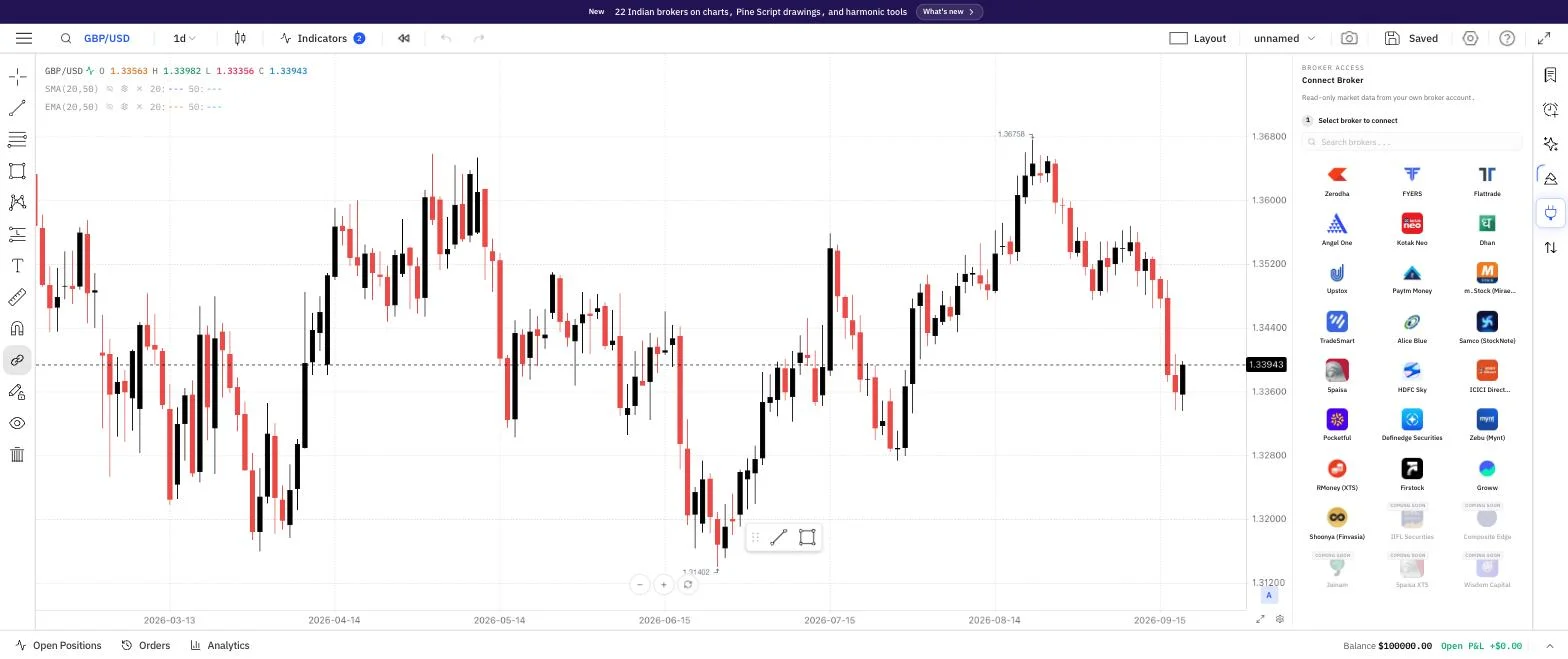
Connect Broker panel on Supercharts showing all 22 live Indian broker logos, from Zerodha and FYERS to Groww and Shoonya, plus greyed-out coming-soon brokers

22 Indian brokers now power your charts with live prices and history, and Pine scripts can draw boxes, labels, lines and tables.

What changed

  • 22 Indian brokers now power live prices and history on your charts, from a redesigned connect screen
  • Pine scripts draw boxes, labels, lines and tables, and open in a side panel you can resize
  • 11 new harmonic and Elliott Wave drawing tools, plus a Chart Patterns indicator that spots patterns for you
  • Charts load faster and candles match your broker's official figures once they close
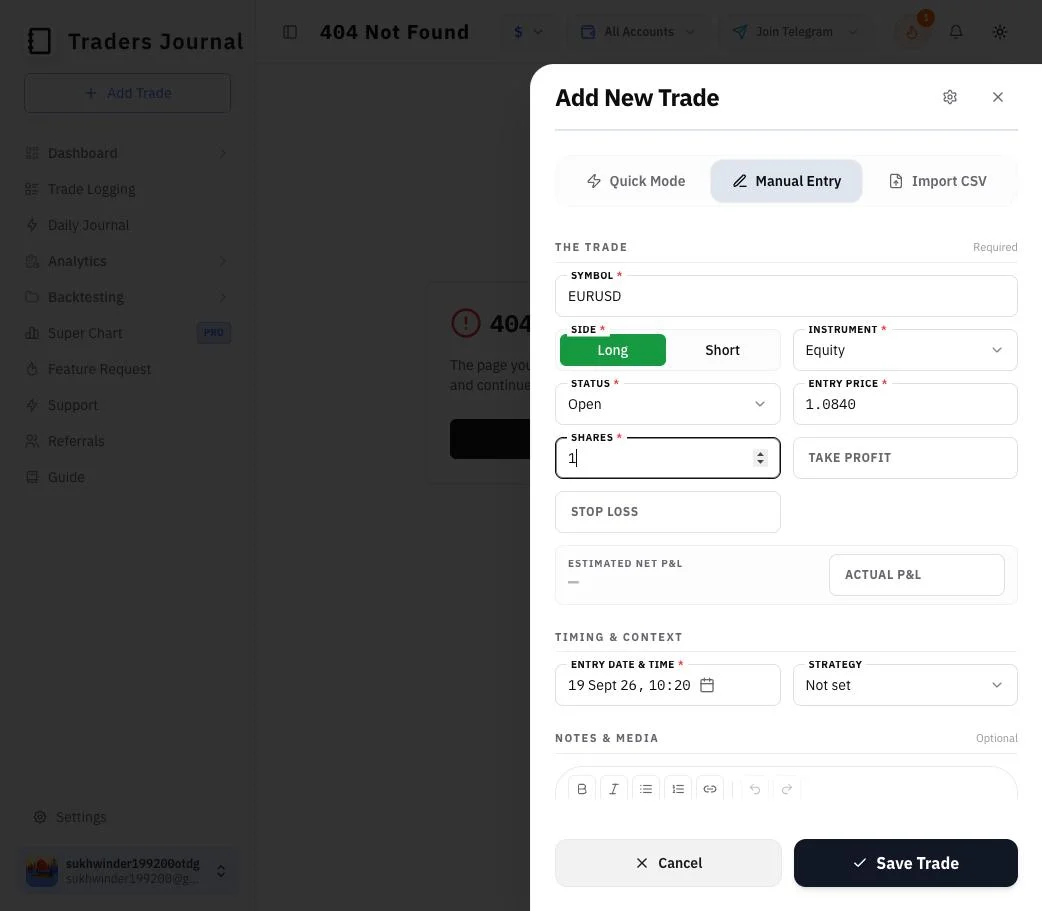
  • Log a trade that's still open, and import from Hyperliquid and Interactive Brokers

22 Indian brokers, live on your charts

Connect Broker panel on Supercharts showing all 22 live Indian broker logos, from Zerodha and FYERS to Groww and Shoonya, plus greyed-out coming-soon brokers
  • Connect Zerodha, FYERS, Flattrade, Angel One, Kotak Neo, Dhan, Upstox, Paytm Money, m.Stock, TradeSmart, Alice Blue, Samco, 5paisa, HDFC Sky, ICICI Direct, Pocketful, Definedge, Zebu, RMoney, Firstock, Groww or Shoonya, and the chart uses that broker's live prices and history.
  • The connect screen is redesigned: a clean broker grid with logos, a full-screen version on phones, real links to the legal terms, and WhatsApp and Telegram links if you get stuck.
  • Shoonya now connects through its own normal login page instead of authenticator codes.
  • Only one broker is active at a time — connect a new one and the others pause, with your chart switching over automatically.
  • Trades from a connected broker come across with one-click sync, no manual import needed.
  • Symbols now search and load properly for Upstox, Shoonya, Dhan and Groww.
  • Five more brokers sync your trades but don't power charts yet: Sharekhan, Motilal Oswal, Arrow, Delta Exchange and Tradejini.
See supported brokers

Charts that load faster and stay accurate

  • Charts reuse price data they've already downloaded instead of fetching the same thing again, so they open noticeably faster.
  • When a candle closes, the chart swaps its own live estimate for your broker's official figure, so bars match what the broker shows.
  • Switch to another tab or app and come back after a minute or more, and the chart notices it went stale and refreshes itself.
  • Live prices arrive in smaller, steadier pieces, and a watchdog reconnects a feed that goes quiet instead of leaving the chart frozen.
  • Fixed live candles stamped with the wrong time on FYERS, and Shoonya trades that were dated wrongly.
See Supercharts

Pine scripts that draw on your chart

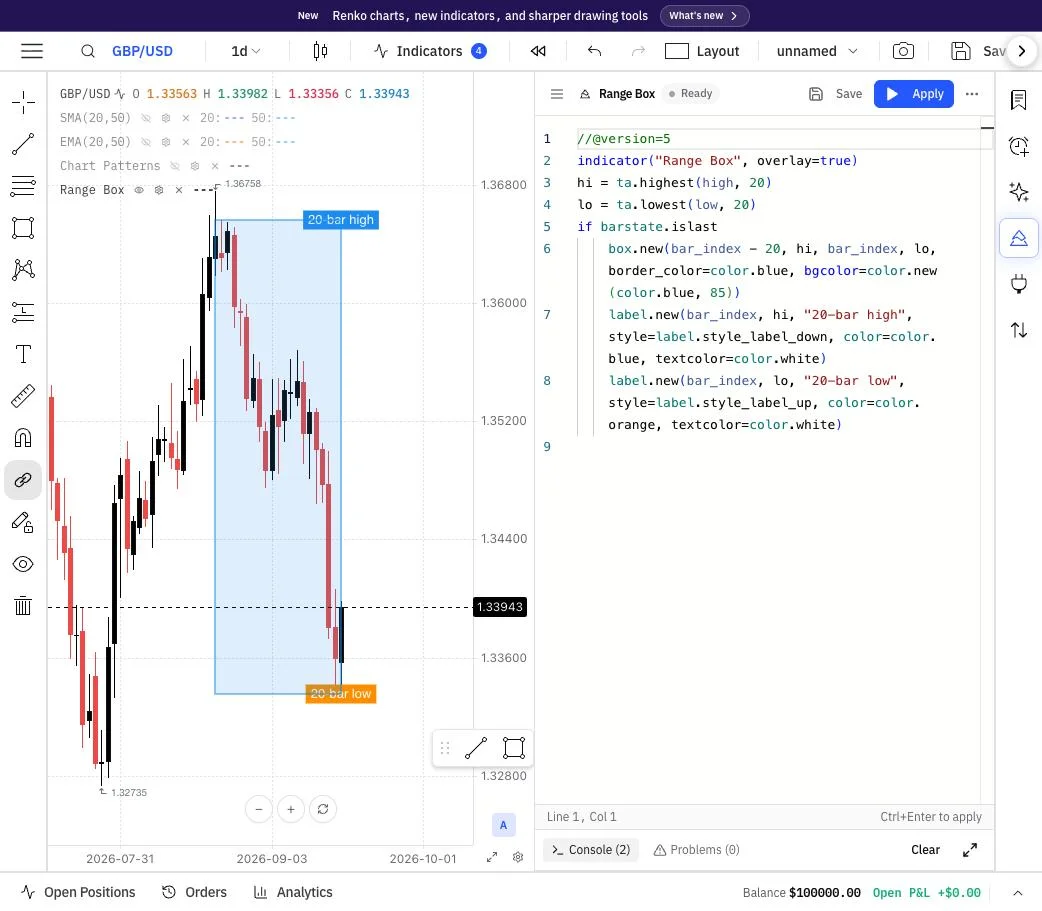
Pine script panel open beside a GBP/USD chart, with the script's range box and two labels drawn on the chart
  • Pine scripts can now draw lines, labels, boxes and tables on the chart instead of failing — including multiple tables and shape settings for plotshape and plotchar.
  • On desktop the Pine panel sits in a side rail next to your trade list and you can drag it wider or narrower. On mobile it still opens full screen.
  • A saved-scripts sidebar lists every script you've saved, so switching between them is one click.
  • More scripts run correctly: older v3 and v4 scripts, newer v6 scripts, request.security, and time inputs.
See Supercharts

11 harmonic and Elliott Wave drawing tools


Drawing an XABCD harmonic pattern on a GBP/USD daily chart by clicking five points
  • Draw XABCD, Cypher, ABCD, Three Drives, Head & Shoulders and Triangle patterns, plus five Elliott Wave tools: impulse, correction, triangle, double combo and triple combo.
  • Each one has its own styling controls, and the pattern points are labelled as you place them.
See Supercharts

Chart Patterns indicator

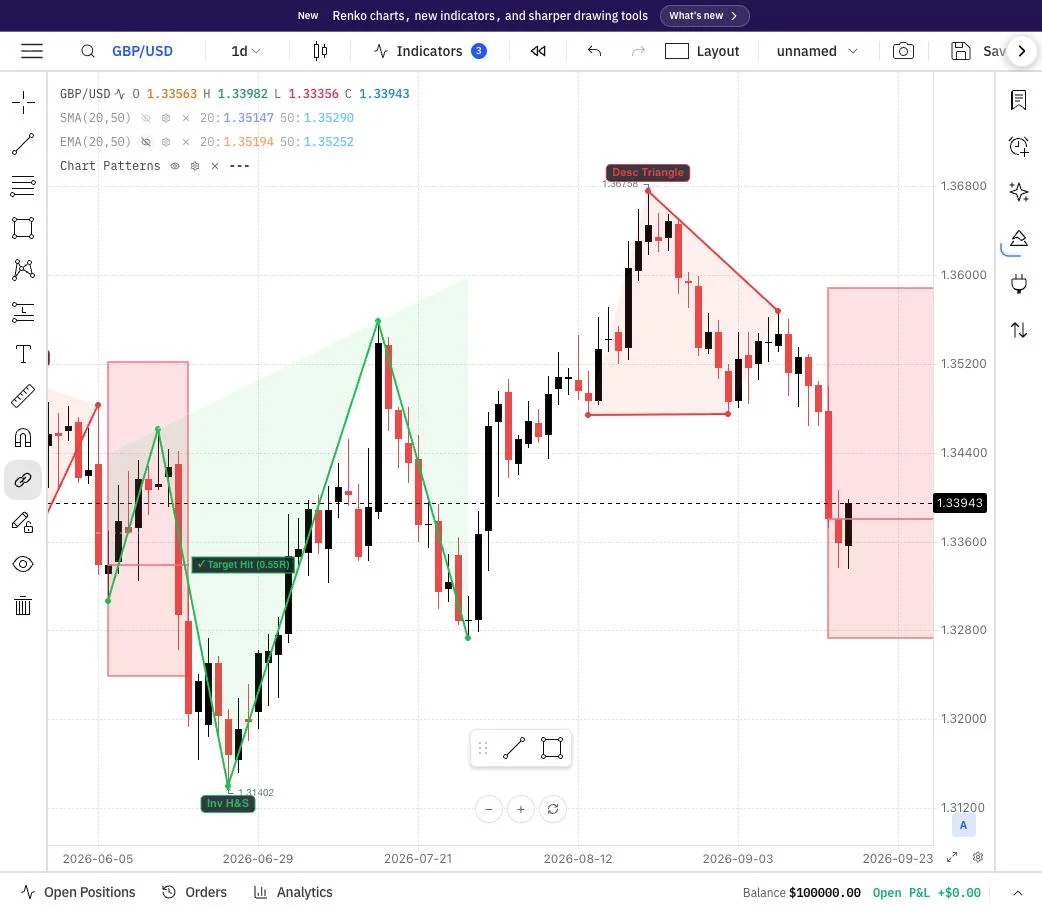
Chart Patterns indicator marking an inverse head and shoulders and a descending triangle on a GBP/USD daily chart
  • Turn on Chart Patterns and it spots double tops and bottoms, head and shoulders, triangles and flags for you, with a name badge and a risk/reward box on each one.
  • Tune it with sensitivity, tolerance and a cap on how many patterns show at once, or limit it to confirmed breakouts only.
Learn the chart patterns

Better cursor and drawing controls

  • The toolbar's cursor tools now work: crosshair, arrow, hand (drag) and eraser, with sharper icons.
  • New Arrow and Callout drawings let you point at something and label it right on the chart.
  • The crosshair no longer stays on screen while you erase, and the magnet button clearly shows when it's off.
  • An eye icon on each indicator in the legend hides or shows it, and a new setting hides trade markers on the chart.
See Supercharts

Log open trades, plus Hyperliquid and Interactive Brokers imports

Add New Trade form with the status set to Open, showing no exit price or exit time fields
  • Set a trade's status to Open and the form drops the exit price and exit time, asking only for what an open position needs.
  • Upload your Hyperliquid trade history and positions are matched up into round-trip trades automatically.
  • Interactive Brokers Activity Flex CSV reports now import too.
  • Chat now accepts iPhone photos (HEIC) and compresses images before upload.
See supported brokers

More instruments to backtest

  • Backtesting adds XAU/EUR, XAU/GBP, US30, NAS100, SPX500, AUD/CAD and EUR/NZD.
See Backtesting
See SuperchartsAll releases