Traders Journal Logo
Traders Journal
Charts

43 new drawing tools, cloud alerts and Pine strategies

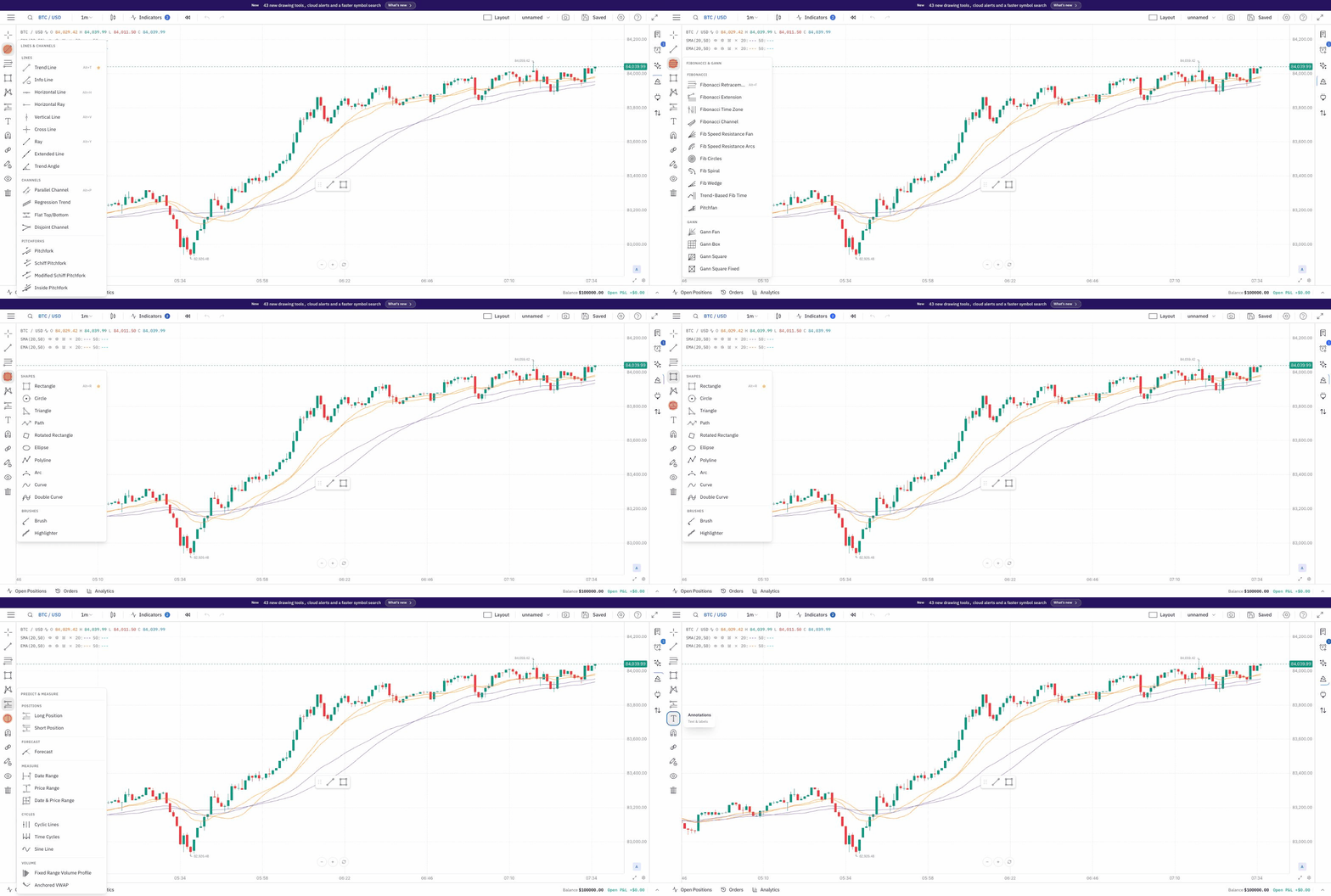
Opening each drawing tool group on Supercharts to show the 43 new drawing tools

43 new drawing tools, neatly grouped one click away, plus cloud alerts in beta, Pine strategy trades on your chart, and a faster way to find any symbol.

What changed

  • 43 new drawing tools — pitchforks, Fibonacci spirals, Gann squares, forecasts, notes and more — grouped so the right one is always a click away
  • Precise drawing on your phone, with a trackpad-style cursor and finger-sized handles
  • Cloud alerts (beta): set alerts on prices, lines and drawings that keep watching after you close the tab
  • Pine strategies show their trades on the chart, with a cleaner settings window for every indicator
  • A faster symbol search with brand logos, plus smoother broker connections for Kotak Neo, Angel One and Upstox

43 new drawing tools, one click away

Opening each drawing tool group on Supercharts: lines and channels, Fibonacci and Gann, shapes, forecast and cycles, and annotations
  • Lines and shapes: ray, extended line, trend angle, rotated rectangle, ellipse, polyline, arc, curves, brush, highlighter and arrow markers.
  • Channels and pitchforks: regression trend, flat top/bottom, disjoint channel, and four pitchfork styles.
  • Fibonacci and Gann: Fib channel, speed fans and arcs, circles, spiral, wedge, trend-based time, pitchfan and two Gann squares. The Fib extension now takes three points, so you can measure from any swing.
  • Forecast and cycles: forecast cone, anchored VWAP, cyclic lines, time cycles and sine line, plus a fixed range volume profile.
  • Annotations: notes, price notes, pins, comments, signposts, flags and emoji stamps to mark up your ideas.
  • Every tool sits in a tidy group with its keyboard shortcut shown, and each group button remembers the tool you used last.
  • All of them work in Backtesting too.
Try the new drawing tools

Finer control over every drawing

  • Every colour now has an opacity slider — lines, text, fills, and profit and risk zones — in a compact new colour picker.
  • Save a drawing's style as a template and apply it in one click, on Supercharts and in Backtesting.
  • The magnet can snap to indicator values, not just candles.
  • Lock drawings, indicators or both separately, so you can keep adjusting one without disturbing the other.
Open Supercharts

Precise drawing on your phone

  • Drag anywhere on the chart to move a cursor, like a trackpad, so your finger never hides the point you're placing.
  • Short on-screen steps guide you through each drawing, and handles are sized for fingers.
  • Works on Supercharts and in Backtesting.

Cloud alerts (beta)

  • Alerts run in the cloud, so they keep watching the market after you close the tab.
  • Set conditions on price, indicators or your own drawings, from a redesigned alert window.
  • Put an alert on a vertical line to get pinged when that time arrives.
  • Drawings with an alert show a small clock badge, and alert lines can be dragged to a new level.
  • Your notification choices are remembered, and alerts can reach you by email and browser push.
Set a cloud alert

Pine strategies and a cleaner settings window

  • Pine strategies now show their entries and exits on the chart, and alert() events come through as notices.
  • If a script needs a library you haven't added, you get a link to find it and a quick way to paste it in.
  • More real-world v6 scripts run without changes.
  • Indicator settings open in a cleaner window with a Style tab, session ranges and colours with transparency.
  • New SFI Charlie indicator.
Run a Pine script

Find any symbol faster

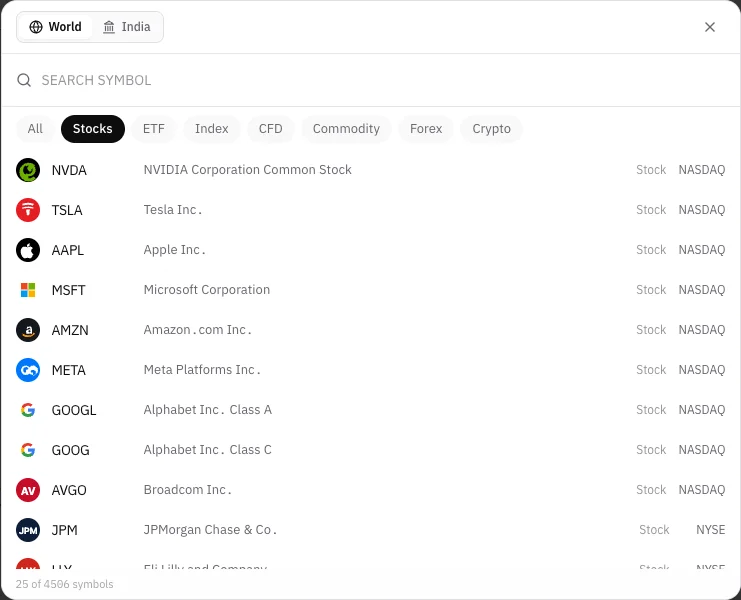
Symbol search window on the Stocks tab, listing NVDA, TSLA, AAPL, MSFT and more with brand logos
  • Stocks and ETFs have their own tabs, and results are ranked so the one you mean comes first.
  • Brand logos next to each stock make the list quick to scan.
  • Each crypto coin shows up once, with its other exchanges one tap away.
  • In the India tab, index futures and options now sit under F&O where you'd expect them.
Search a symbol

Smoother broker connections

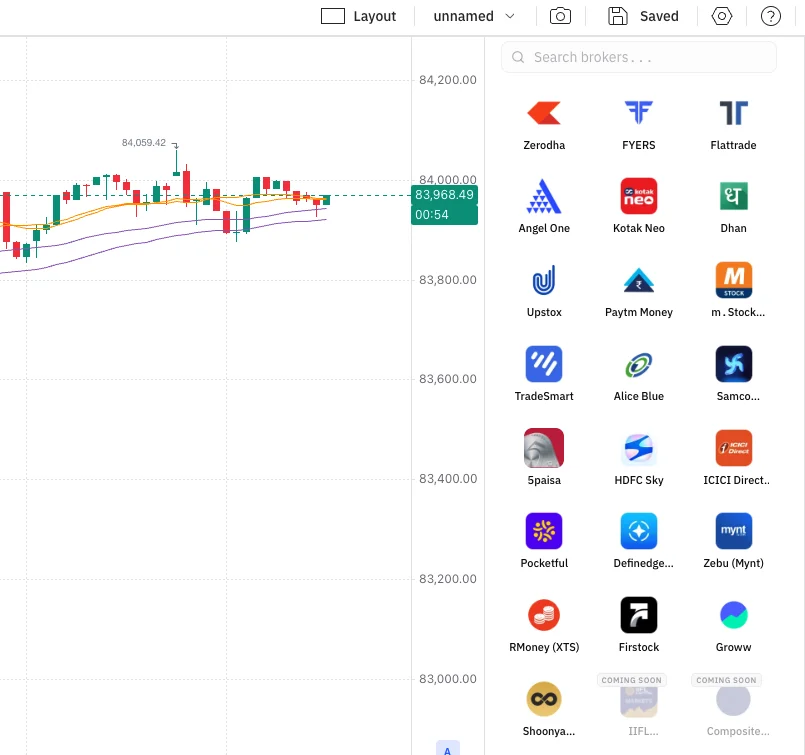
Connect Broker panel beside a live chart, showing all 22 Indian brokers from Zerodha and FYERS to Groww and Shoonya
  • Connect any of your Indian brokers from a searchable panel beside the chart, without leaving Supercharts.
  • Upstox charts and live prices run on its market data connection, and trade sync picks up where it left off if interrupted.
  • FYERS history loads in one or two requests instead of dozens, so charts open faster.
See supported brokers

Guided setup for Kotak Neo and Angel One

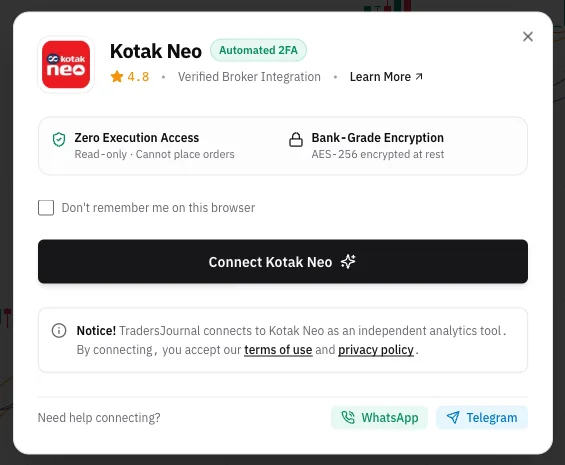
Kotak Neo connect window showing read-only access, bank-grade encryption and a single Connect button
  • Kotak Neo and Angel One connect through a guided, step-by-step setup that checks your details as you type.
  • Access is read-only: TradersJournal can never place orders, and your details are encrypted.
See supported brokers

Fixes

  • Switching symbols from the watchlist no longer freezes the chart.
  • Weekly and monthly candles on forex symbols no longer draw twice.
  • The candle countdown no longer runs while the market is closed.
  • In Backtesting, Pine indicators stop at the replay point instead of showing future bars.
All releases