There are exactly two ways to backtest on TradingView: Bar Replay, where you scroll back in time and trade history bar by bar yourself, and Strategy Tester, where you write or apply a Pine Script strategy and let TradingView run the numbers automatically. No third secret method. No hidden menu. Just those two, each genuinely useful, each with a plan limit worth knowing before you start.
This guide walks through both, properly — what each tool actually does, the plan limits that shape which one fits your setup, the mistakes that make a backtest lie to you, and what to do once you have a result you don't fully trust yet. It is what it is: TradingView built two solid tools. The workflow around them — deciding which one fits, logging why a trade worked — is on you to figure out.
Two Ways to Backtest on TradingView (Quick Answer)
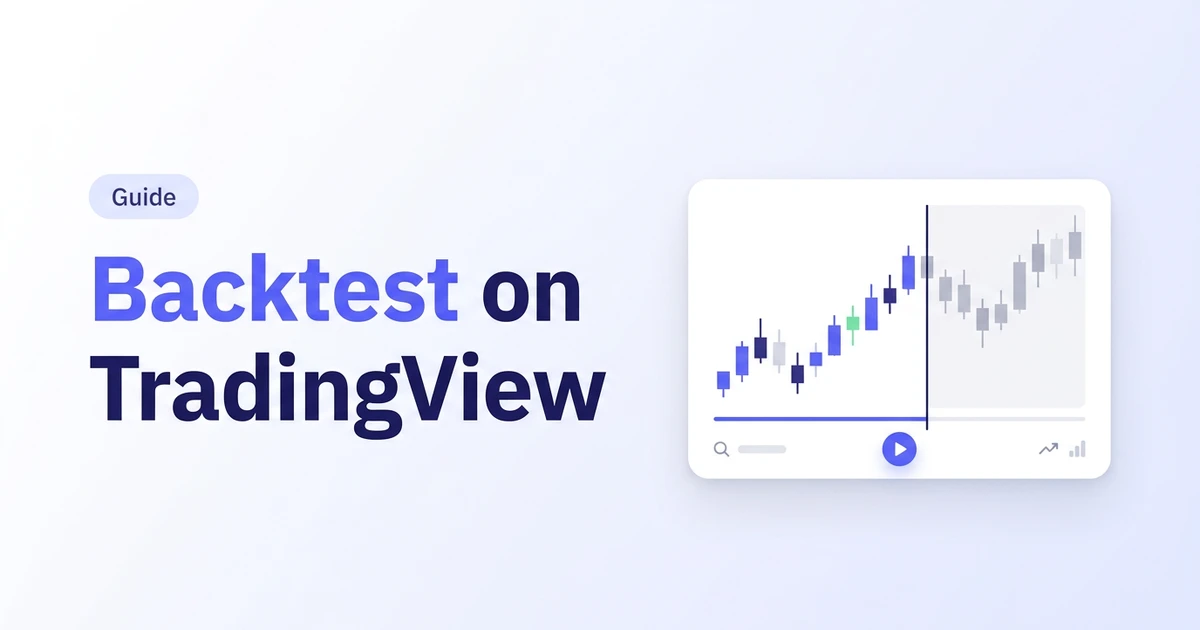
Bar Replay hides every candle after a date you pick, then lets you step forward one bar at a time, placing trades exactly as you would live — except you already know it's a rehearsal, which is the whole point. No code required. You need eyes, a fixed set of rules, and the discipline not to peek ahead.
Strategy Tester runs a Pine Script strategy against historical data instantly and hands you a report: net profit, win rate, max drawdown, and a full list of trades. You can use a public strategy from the community or write your own, but either way, a computer is deciding the entries — not you, in the moment, under the same conditions you'd trade live.
Pick Bar Replay if your setup depends on judgment — reading price action, waiting for confluence, reacting to something that isn't purely mechanical. Pick Strategy Tester if your rules are fully codeable — a crossover, a breakout level, a fixed indicator threshold. Most traders end up using both at different points, and that's covered in the comparison further down.
Still fuzzy on what a backtest is actually supposed to prove? Start with what backtesting means before picking a tool — it'll save you from running either one wrong. Prefer a platform-agnostic, no-code walkthrough instead of a TradingView-specific one? Here's the five-step version.
Before You Start: Know Your Plan's Limits
Here's the part that trips people up before they even place a replay trade. Bar Replay on daily charts and above works on TradingView's free Basic plan. Replay on intraday timeframes — 1-minute, 5-minute, 1-hour, anything below a day — needs a paid Essential, Plus, or Premium plan. If you day trade or scalp and wanted to test your setup on the free plan, you'll hit that wall on your first replay session, not somewhere down the line where it would have been convenient to find out.
Strategy Tester itself works fine on the free plan. What scales with your plan there is the depth: higher tiers unlock Deep Backtesting, which can chew through up to 2 million bars and 1 million trades of history for a symbol, instead of the shorter window free accounts get. For a strategy on daily bars that barely matters. For a strategy on 1-minute bars going back years, it's the difference between a real test and a truncated one.
None of this is a complaint about TradingView's pricing — a business is allowed to gate depth and timeframes. It's a heads-up so you don't burn twenty minutes building a replay session on a 1-minute chart before discovering the paywall was always going to be there.

Bar Replay: Manual Backtesting, Step by Step
Bar Replay is the honest option — it tests your decision-making, not just your indicator settings. Here's the workflow.
- Open the chart and pick your timeframe. Remember the plan limit above: daily and higher is free, intraday needs a paid plan.
- Write your fixed rules before you touch Replay. Entry trigger, stop-loss, target, and position size, in one sentence each. If you can't write it down, you're not backtesting — you're improvising with the benefit of hindsight, which every candle on the screen quietly hands you the moment you can see what happens next.
- Click Replay in the chart toolbar and drag the vertical marker to your starting date. Everything after that point disappears from view.
- Step forward one bar at a time, or press play to advance automatically. When your entry rule fires, take the trade exactly as written — no moving the stop because it "felt tight." A stop-loss is not a suggestion; the market does not negotiate because you had a strong feeling about it.
- Record every trade as you go — entry, exit, reason, result. TradingView's Replay tool doesn't do this for you; it only reveals the next candle. The logging is entirely on you, in a spreadsheet or elsewhere, which is exactly the gap covered in the free-alternative section below.
- Repeat across a few different stretches — a trending run, a choppy range, a volatile drop. A setup that only performs in one of those conditions isn't an edge yet. It's a coincidence with good timing.
Bar Replay's real strength is that it can't lie to you about your own hesitation. If you catch yourself wanting to peek two bars ahead before deciding, that's not a TradingView problem — that's the exact behavior a backtest is supposed to surface before it costs you money live. TradingView's own Bar Replay help doc covers the toolbar controls and chart-type restrictions in more detail if you get stuck.
Strategy Tester: Automated Backtesting, Step by Step
Strategy Tester is faster and removes your emotions from the equation entirely — which is a feature until it hides a problem your emotions would have caught. Here's the workflow.
- Open the Indicators & Strategies tab and search for a strategy. TradingView separates indicators from strategies on purpose — only strategies can place simulated trades for backtesting. Use a public one from the community, like a moving average crossover, or paste your own Pine Script.
- Apply it to your chart. The strategy's buy and sell signals appear as arrows directly on the candles.
- Open Settings via the gear icon next to the strategy's name. In the Properties tab, set your initial capital, position sizing, and pyramiding rules, then choose the date range you want tested.
- Turn on Bar Magnifier or tick-by-tick execution if your plan supports it. Skip this step and Strategy Tester assumes your order filled the instant the signal appeared, at a price you may not have actually gotten — the single biggest reason a backtest looks better than live trading ever will.
- Read the three results tabs. Overview gives you the headline numbers and an equity curve. Performance Summary breaks down profit, drawdown, and win rate in detail. List of Trades shows every simulated trade individually, which is where you actually check whether the strategy is doing what you think it's doing.
- Adjust one variable at a time if you're refining the strategy, and re-run. Change three things at once and you won't know which one moved the result — you'll just have a new number and no idea why.
Strategy Tester is the right tool for anything fully mechanical: a crossover, a breakout level, a fixed RSI threshold. It's the wrong tool for anything that depends on you reading the chart in the moment — Pine Script can't codify a gut feeling, and pretending it can just moves the guessing into the code instead of out of it. TradingView's own explainer on strategies and backtesting walks through the Strategy Report tab in more depth than fits here.
Bar Replay vs. Strategy Tester: Which One to Use
| Bar Replay | Strategy Tester | |
|---|---|---|
| Who decides trades | You, bar by bar, in the moment | Pine Script code, instantly |
| Code required | None | Yes, unless using a public strategy |
| Best for | Discretionary setups, price action, judgment calls | Fully mechanical rules: crossovers, breakouts, indicator thresholds |
| Speed | Slow — one bar at a time, real thinking required | Fast — years of history in seconds |
| Free plan limit | Daily bars and above only | Works, but Deep Backtesting needs a paid plan |
If your rules can be written as code without losing anything important, use Strategy Tester and save yourself hours. If writing the rules as code would strip out the exact judgment that makes the setup work, use Bar Replay and accept that it's slower — the honest answer is usually slower than the convenient one.
Where a TradingView Backtest Still Needs a Human Check
Both tools are genuinely useful. Neither tells you the full story on its own.
- Execution is approximate, not exact. Strategy Tester's default fill assumption — order filled at the signal, inside that candle — is close enough for a rough check and not close enough to bet real size on. Bar Magnifier and tick-by-tick execution tighten this but don't remove it entirely.
- Costs are opt-in, not automatic. Commissions and slippage don't get added unless you add them yourself in the strategy's properties. A strategy that's profitable before costs and unprofitable after them was never really profitable — it was a chart that forgot fees exist.
- Nothing logs the "why." TradingView shows you that a trade happened and what it made or lost. It doesn't ask why you took it, what the market looked like, or what you'd do differently. That's not a bug — it's just not what a charting platform is built to do.
- No tagging across strategies. Run three different setups and TradingView won't group those results for you. You're left screenshotting reports into a spreadsheet if you want to compare them side by side.
- A good backtest still isn't the finish line. Live execution adds waiting, fear, greed, and pressure that no replay session or Pine Script simulation can fully reproduce. Forward test the survivors before real money is on the line.
5 Rules for a Backtest You Can Actually Trust
- Fix your rules before you press play, not during. Entry, stop, target, size — written down first. Deciding as you go isn't backtesting. It's trading old candles with the benefit of hindsight, dressed up to look like discipline.
- Use enough history to matter. Ten good trades prove very little. Test across trending, ranging, and volatile stretches — ideally several years — so one lucky quarter doesn't get mistaken for an edge.
- Add commissions and slippage on purpose. They don't appear automatically in Strategy Tester, and Bar Replay won't remind you either. Build them in or the number you end up trusting is fiction with good production values.
- Watch for curve-fitting. If a strategy only works with oddly specific settings — a 23-period moving average, a 2.7% stop — it was probably tuned to match the trades you already knew about, not built on a real edge. Round, sensible numbers that still work are a better sign than perfect ones that only work here.
- Forward test before it's real money. A backtest that survives its own history is a decent first filter. It's not proof the edge holds on data the strategy has never seen. That's what forward testing is for, and skipping it is how a strategy pays its tuition in cash instead of in time.
Confidence Came From Backtesting, Not the Strategy
Following a strategy properly was never enough for me on its own. I needed to know its normal drawdown, which conditions it went quiet in, and which trades weren't worth taking in the first place. Backtesting is what gave me that — not the strategy itself, and not the person who taught it to me.
It didn't make anything permanent. A strategy is only trusted while the data still supports it, and markets change underneath even a battle-tested system without sending a warning first. Backtesting won't stop that from happening. What it does is tell you, honestly, when it has.
Backtesting Without the Premium Paywall or Pine Script
If the intraday Bar Replay paywall or the Pine Script requirement is the part getting in your way, that's the exact gap Traders Journal was built to close — not a Pine Script editor, and not a TradingView replacement, just the bar-replay workflow without the plan gate, plus the logging TradingView never had.
- Pick your instrument and timeframe, intraday included, on the free-forever plan — no upgrade required to replay a 5-minute chart.
- Set your fixed rules first, the same discipline as any real backtest: entry, stop, target, size, written down before the first replay candle.
- Replay bar by bar and take the trade the moment your rule fires — no early peek at what comes next.
- Log the reason with the trade, not just the win or loss. This is the step TradingView leaves entirely to you; here it's built into the same screen you're replaying on — the same idea covered in what a trading journal actually is.
- Let the analytics dashboard do the counting — win rate, average risk-reward, drawdown, and profit factor, calculated automatically from what you actually logged, tagged by strategy if you're running more than one.
Roughly 3,600+ traders currently use Traders Journal for this exact loop — chart, replay, journal, review — alongside live charting for planning the next trade before it happens. There's a free-forever plan to start, and premium is $12 a month (₹499) if you want the full analytics set. No claim here that it makes anyone profitable — it removes the manual spreadsheet work so the review described in this guide takes minutes instead of an evening.
For strategies that are fully mechanical, TradingView's Strategy Tester still has its place — this isn't an either/or. Use whichever tool matches how the strategy actually gets traded, and don't force a discretionary setup into Pine Script just because the automated report looks tidier.
The Backtest Is the Cheap Lesson
Every trader pays tuition one way or another — with time spent testing, or with money lost finding out live what a backtest would have shown for free. TradingView gives you two real tools to do that testing: Bar Replay for judgment-based setups, Strategy Tester for mechanical ones. Neither one logs why you took the trade, and neither one is the finish line once the numbers look good.
👉 Start backtesting for free at Traders Journal if you want the replay workflow without the intraday paywall — free forever, no card required — or browse the full trading education library for more on backtesting, journaling, and reviewing your results honestly.