Most traders don't actually backtest. They open a chart, scroll back, spot five clean-looking trades, and call the strategy "proven." That's not backtesting. That's storytelling with candles, and the market doesn't care how good the story sounds.
Forex Tester exists because somebody, a long time ago, got tired of that storytelling and built a tool whose entire job is to stop you from doing it — replay real historical price, tick by tick if you want it, and place trades exactly like you would live, except the account is fake and the lesson is real. It's also, and this trips people up constantly, two genuinely different products sold under one name. Untangling that is the first honest thing this comparison needs to do, before a single price gets mentioned — especially if you landed here looking for a Forex Tester alternative rather than just a feature-list showdown.
We checked both companies' own pricing pages, product pages, and a handful of independent 2026 reviews, cross-referenced against our own earlier look at Forex Tester in the wider no-code backtesting software comparison, on July 20, 2026. Software pricing moves like a caffeinated day trader, so if a number here looks off by the time you're reading it, trust the official site over us.
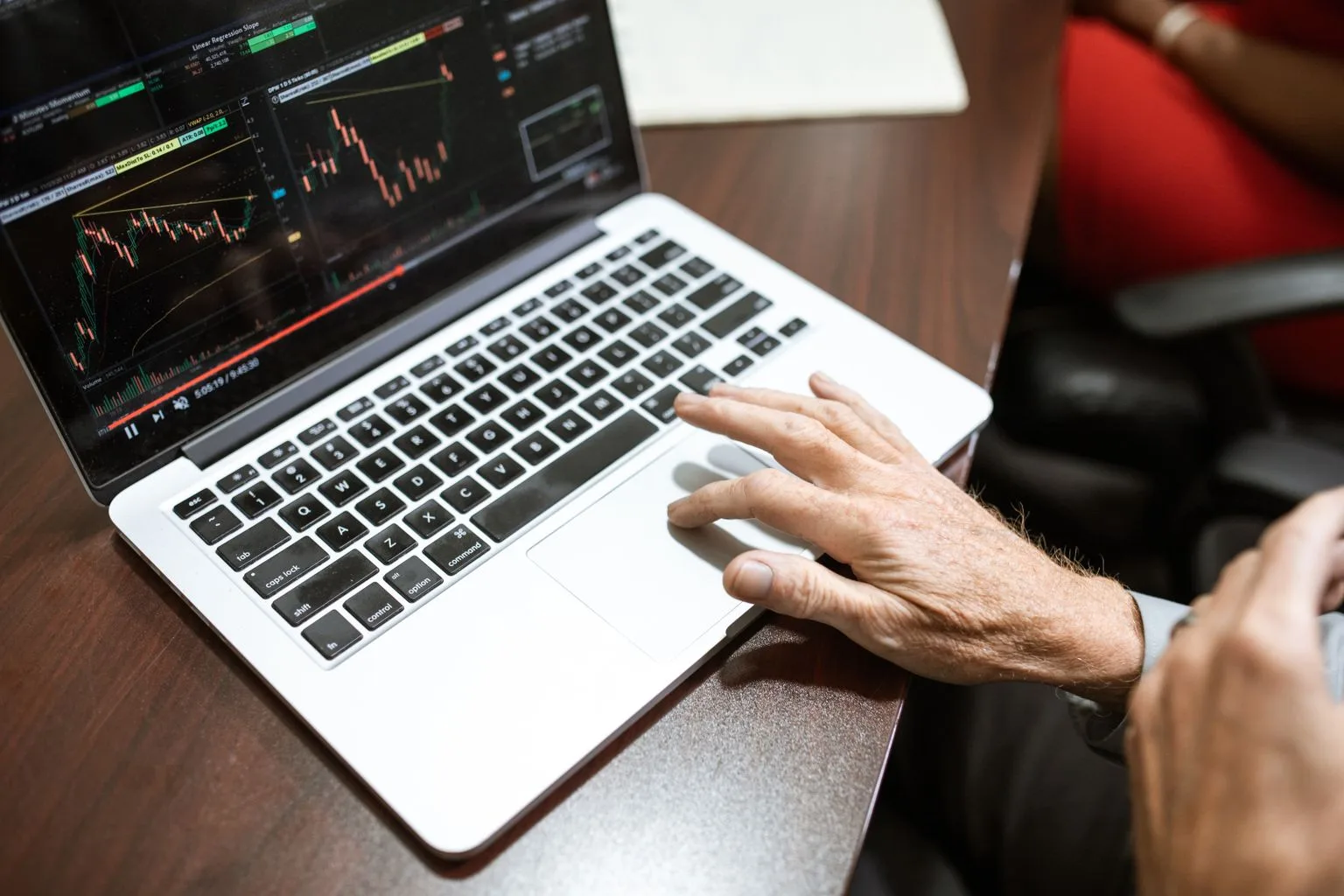 Photo by RDNE Stock project on Pexels
What Forex Tester Actually Is
Strip away the branding and Forex Tester is a standalone replay simulator. Load historical data, move the chart forward candle by candle — or let it run at up to 16x speed — and place trades with real entries, stop losses, and take profits, against a fake account and real consequences for your understanding of your own rules.
Per Forex Tester's own site, the current lineup runs on over 20 years of historical data, a random-start ("blind") testing mode that drops you into a random instrument at a random point in history instead of letting you quietly pick a chart you already know the ending of, and an Exit Optimizer that scans your trade history for the stop loss, take profit, and holding duration that would actually have worked best. There's also a basic automation builder — closer to a condition-based alert than a strategy engine: pick a condition (say, bid price of EUR/USD above 1.2330), pick one action (pause the test, or fire an order), and it runs on its own from there.
Each backtest session on Forex Tester Online also keeps a real per-trade journal and session-level analytics — win rate, profit factor, Sharpe ratio, drawdown, and more — and you can compare results across different sessions and strategy variations side by side. What it doesn't do is carry any of that into your actual live trading. The analytics stay inside the backtesting world; nothing connects to a trade you placed for real with your own broker — reviewing your live trades is a separate habit you'll still need to build.
Forex Tester Is Actually Two Different Products
This is the part most comparisons skip, and it's the first thing worth understanding before you spend anything: "Forex Tester" and "Forex Tester Online" are not the same purchase, and mixing them up is how you end up arguing with someone online about a price neither of you is actually describing correctly.
Forex Tester Desktop is a downloadable Windows application, sold as a one-time, lifetime-license purchase — roughly $99 to $250 depending on tier, per forextester.com and multiple 2026 reviews. It ships with 60+ built-in indicators, an AI-based Strategy Optimizer (grid search, neural network, and XGBoost modes), and a default data set covering around 28 forex pairs plus a narrower set of crypto, stocks, indices, ETFs, and commodities. A separate "Super Data" add-on unlocks tick-level, higher-frequency data on top of that.
Forex Tester Online is browser-based — no download, runs fine on Mac — on an annual subscription, roughly $12/month at current pricing, with a free demo tier that needs no card. It covers up to 283 tradable assets across forex, stocks, crypto, commodities, indices, futures, and ETFs, ships with 92 built-in indicators, up to 10 synchronised multi-timeframe charts, and adds a proper trade journal with tags, screenshots, and confidence tracking, plus a prop-firm challenge simulator.
Both versions also let you build your own custom indicators — but Forex Tester has that feature in beta on both Desktop and Online right now, worth knowing if you want to rely on one for live testing today rather than a future update.
Most traders searching "forex tester" today land on the Online version — it's the one actively promoted, and it's the closer comparison to a browser-based tool like Traders Journal. We'll reference both where it matters, because the pricing model genuinely changes which one makes sense for you. It also explains why pricing threads online look inconsistent at first glance: someone quoting "$149" is talking about Desktop, someone quoting "$12 a month" is talking about Online, and both are correct — they're just two different purchases wearing the same brand name.
How We Compared
We're not going to spend this article quietly listing everything Forex Tester doesn't do, as if that proves something on its own. A hammer is bad at cutting vegetables. That's not a design flaw in the hammer.
Forex Tester is a mature, purpose-built replay-and-practice tool, and on that one job — deep, forex-specific, tick-accurate rehearsal — it's genuinely good, the same way we found real strengths in FXReplay in our FXReplay vs Traders Journal comparison. The honest question running under every section from here isn't "which one wins." It's "which one was actually built for the job you have right now," and that answer changes depending on whether your bottleneck is reps or review.
Who Forex Tester Is Actually Built For
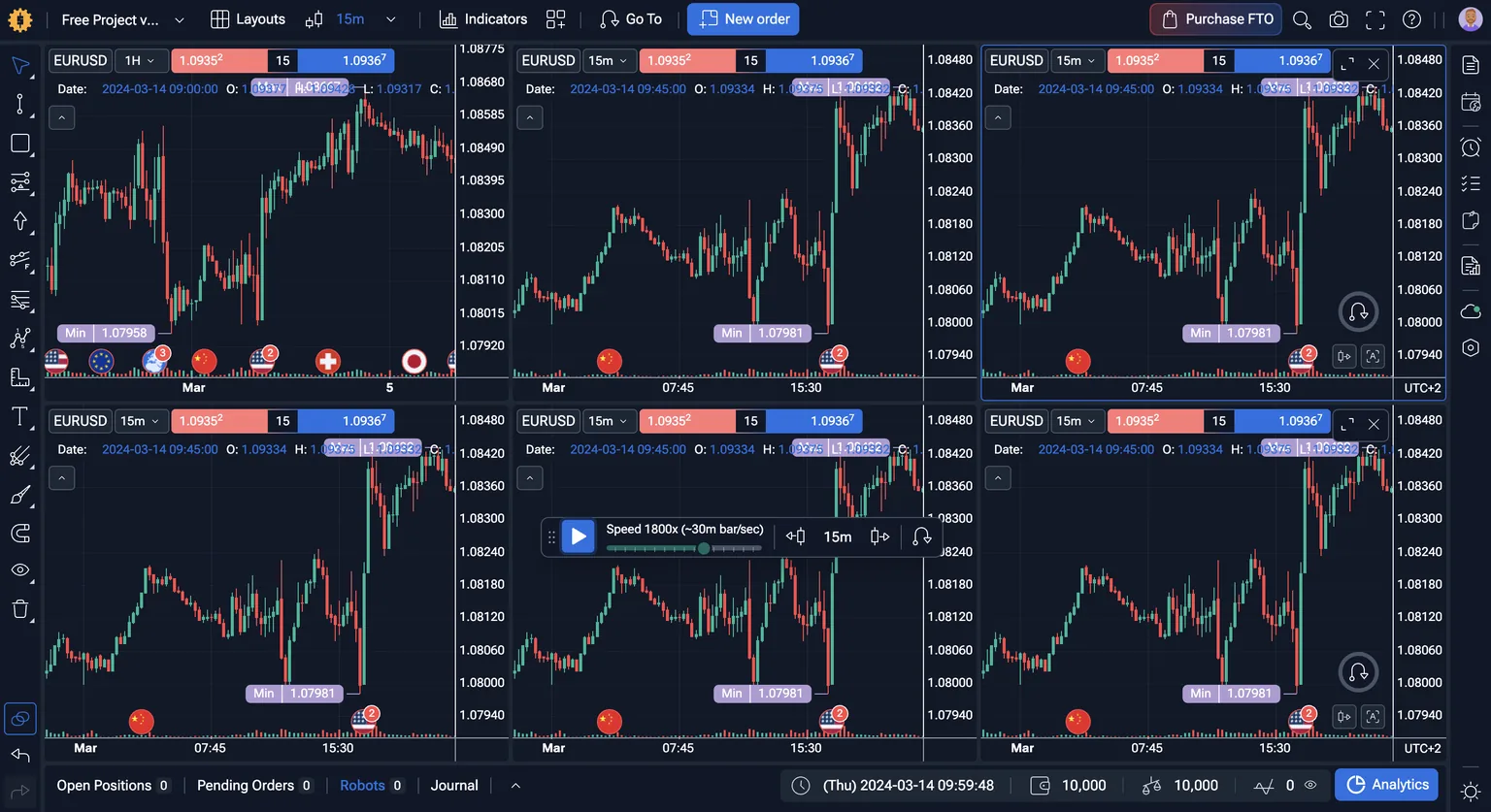 This is the Robots, Journal, and Analytics bar the claims above are describing — not a separate screen you have to dig for.
A golf driving range with a proper launch monitor is a genuinely great place to groove one swing. You hit the same shot a hundred times, the machine tells you exact ball speed and spin, and once the swing is grooved you can even set up a machine to repeat it for you so the motion stops living in your hands and starts living in a repeatable process. What a range like that doesn't do is track how you actually shot across your last twenty real rounds, on different courses, in real wind, with a scorecard that admits you three-putted the back nine again.
Forex Tester is that range, and it's a genuinely well-built one. Twenty-plus years of tick-level data isn't a marketing number for the trader it's built for — it's the whole point, for someone who already knows their focus is forex and already knows the bottleneck is reps: sitting through enough historical price action, under realistic spread and slippage, to actually trust their own hands instead of their own hope.
The random-start mode is a small, honest detail worth crediting, even though it's simpler than it sounds — it's not some elaborate hidden-labels system, it just drops you onto a random instrument at a random point in time. That's still enough to remove the crutch of half-remembering what happened next on a chart you've scrolled through before, which is more than most backtesting tools bother to do.
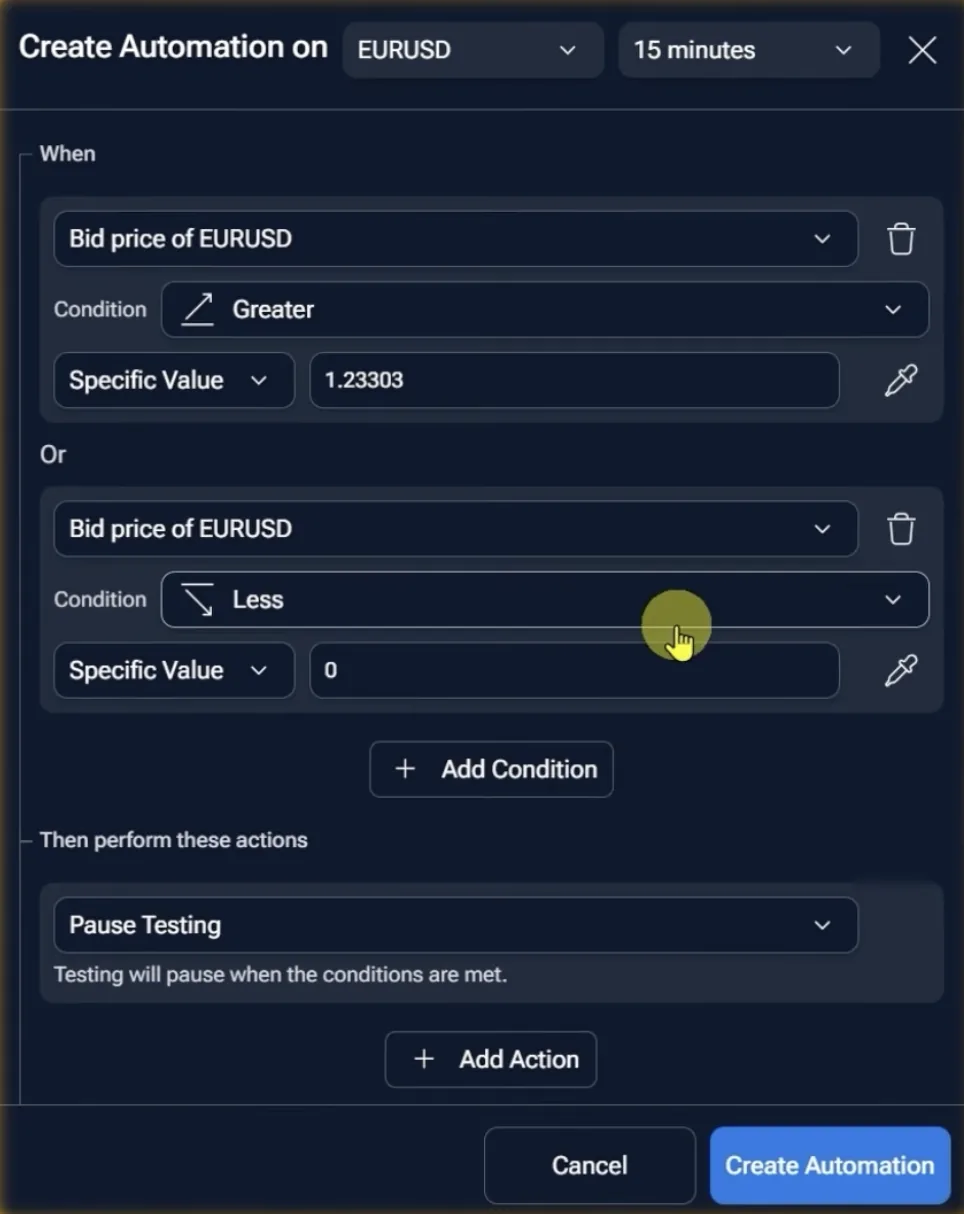 The exact rule shown here — one condition, one action — is what "automation" means on Forex Tester today.
The automation builder is more basic than its "robot" name suggests, too — it's a condition-and-action rule, not a strategy engine, and it's not far off from what Traders Journal's own SuperCharts alerts already do, with one real difference: Forex Tester's rule can act on your behalf (pause the test, fire an order), where our alert notifies you and lets you decide. Neither approach is wrong. But once you have a rule worth automating rather than a hunch you're still forming, even a simple "if price crosses X, do Y" is a real step up from hoping you'll follow your own rule under pressure.
I moved a chunk of my own trading toward rule-based automation a couple of years back, after my own journal kept showing the same story: the strategy was fine, my execution under pressure wasn't. Missed entries, late fills, stops widened out of fear rather than logic. Automating the parts I couldn't trust myself to follow consistently fixed more of my results than any new strategy ever did. That's the case for automation in general, however basic the tool behind it — it's not a shortcut around testing, it's a way to stop your own hands from being the weakest part of a rule you've already proven works.
Where Forex Tester Falls Short
No Live Trade Journal. The per-trade journal and analytics live inside each backtesting session — you can compare sessions and strategy variations side by side, but none of it, journal or analytics, extends into your actual live trading history. Reviewing real trades stays a separate habit, in a separate tool.
Windows-Only Desktop App. Forex Tester Desktop is Windows-only, so Mac traders get pushed toward Online by default — confirmed against Forex Tester's own help centre, since Online runs in any browser on any OS.
Two Products, Two Price Tags. "Forex Tester" and "Forex Tester Online" are separate purchases under one brand name, with two separate pricing models — that's homework you have to do before you even know what you're buying.
None of that makes Forex Tester a bad tool. It makes it a very good range with a scorecard that gets wiped clean after every visit.
Traders Journal: One Login, the Whole Loop
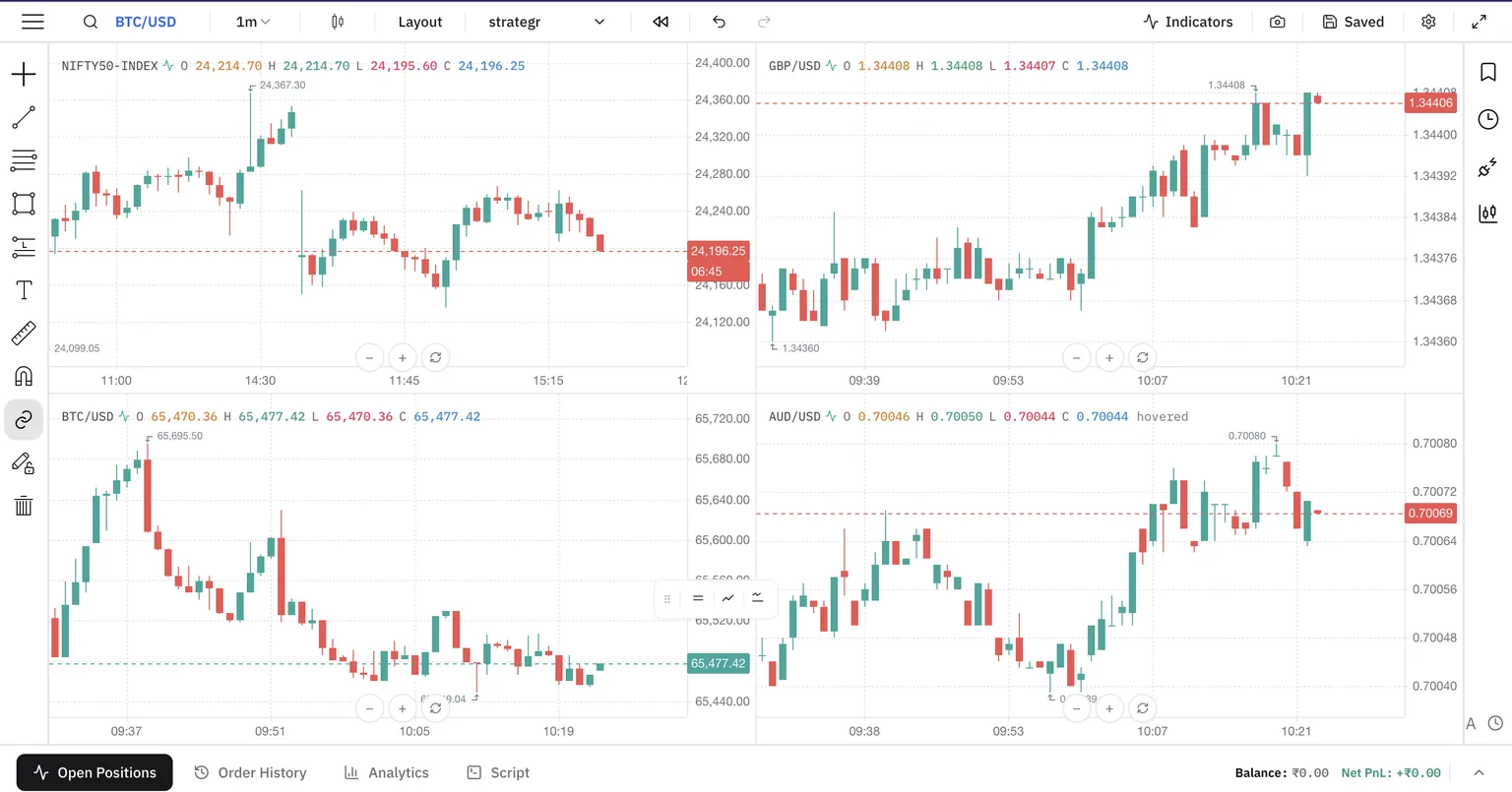 SuperCharts is what makes the multi-market claim above concrete rather than a spec-sheet line.
Following a strategy was never enough for me, personally. I needed to know its normal drawdown, its weak market conditions, and which of its trades were worth avoiding next time. Backtesting gave me that evidence — not permanence, just evidence, and evidence is the entire thing worth paying for.
Traders Journal is the range and the scorecard binder in the same building. Dedicated backtesting sessions let you take a trade and write the reasoning in the same motion, so the "why" doesn't get lost between the swing and the notebook. SuperCharts gives you TradingView-style bar replay across a wide instrument list — forex, crypto, commodities, US markets, and Indian indices like NIFTY and BANKNIFTY — so you can sanity-check an idea before committing real testing time to it. And because the journal isn't bolted on afterward, your backtested sessions and your actual live trades sit in the same place, tagged the same way, reviewable against each other three months later, not just three minutes later.
That's the difference in one line: Forex Tester gives you the reps. Traders Journal gives you the reps and remembers what you did with them.
It also means you're not locked into forex if your trading grows past it. A trader who starts backtesting EUR/USD setups and later wants to check the same discipline against NIFTY futures or Bitcoin doesn't need a second subscription to a second range — the same login, the same journal habit, and the same review process just extend to the new course. Every strategy can be tested; not every strategy is profitable, and the only way to tell the difference is a record that outlives the session. If you want the fuller product breakdown outside of this comparison, see what Traders Journal includes.
Custom indicators work the same honest way. Building your own indicator in JavaScript is live today, not a beta waitlist. There's also a natural-language, AI-assisted indicator builder for describing what you want in plain English and getting a draft to review before it touches a chart — that part is genuinely in beta on our side too, so treat it as a head start, not a finished product yet.
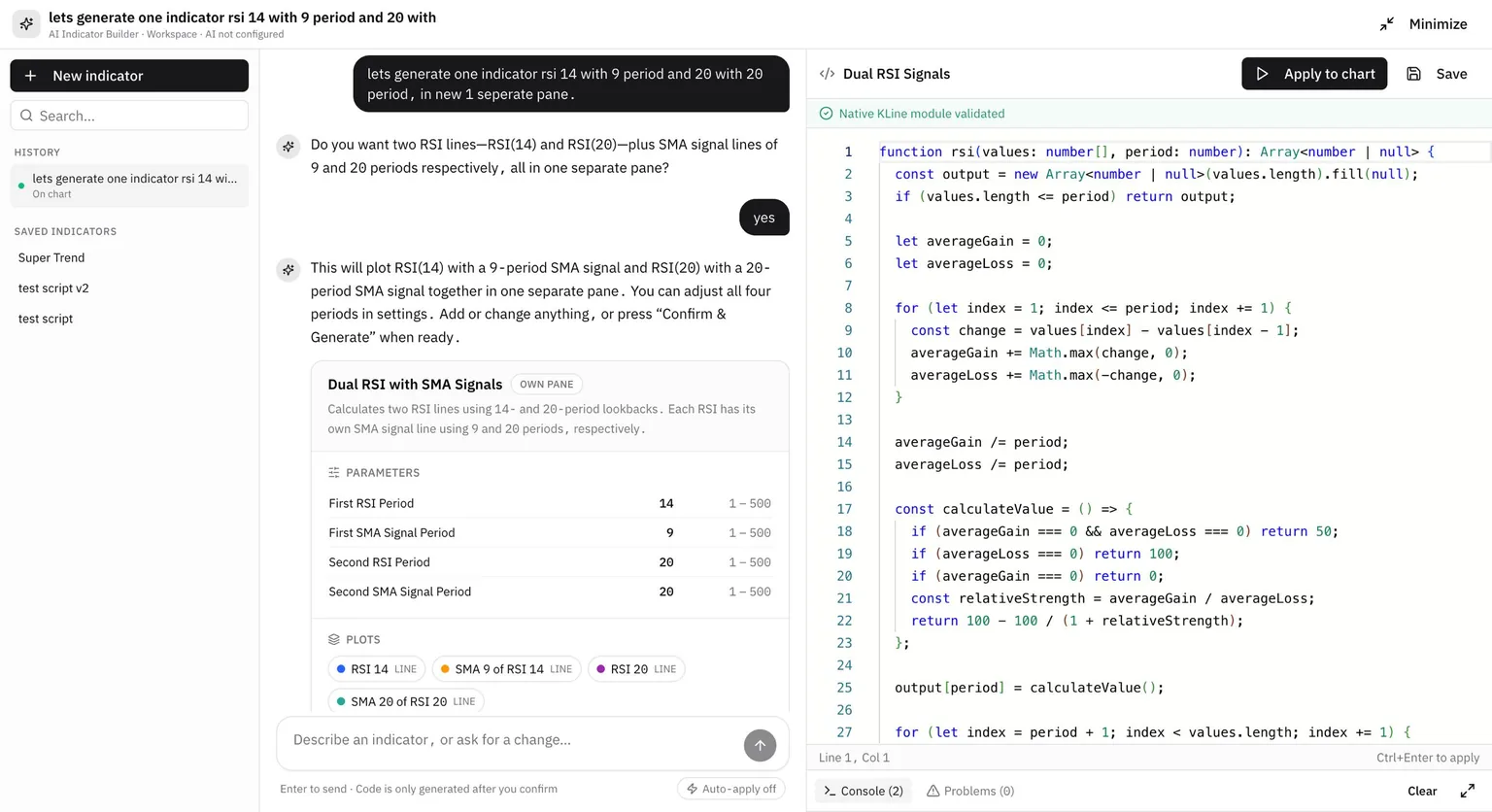 Still in beta, but already usable for a first pass at an indicator you'd otherwise have to code by hand.
Feature by Feature: What You're Actually Paying For
| Feature | Traders Journal Free | Traders Journal Premium | Forex Tester Desktop | Forex Tester Online |
|---|---|---|---|---|
| Price | $0/₹0 | $12/mo or ₹499/mo ($119/yr) | Lifetime: ~$99-$250 (one-time) | ~$12/mo (annual) |
| Free access | Free forever | 21-day trial, small refundable charge | Free demo, 14-day money-back | Free demo, 30-day money-back |
| Platform | Web + mobile app | Web + mobile app | Windows only | Browser, any OS |
| Historical data | Multi-year, per market | Multi-year, per market | 20+ years; Super Data add-on for tick-level | 20+ years, tick-level included |
| Built-in indicators | 25 | 25 | 60+ | 92 |
| Multi-chart layouts | 2 charts (SuperCharts) | 4 charts (SuperCharts) | Multiple windows | Up to 10 synchronised |
| Custom indicator building | Yes (JavaScript), live | Yes (JavaScript), live | Yes, in beta | Yes, in beta |
| AI-assisted indicator builder | Yes, natural-language (beta) | Yes, natural-language (beta) | No | No |
| Rule-based automation | No (SuperCharts alerts notify only) | No (SuperCharts alerts notify only) | AI Strategy Optimizer (parameter tuning) + basic condition-to-action rules | Basic condition-to-action rules, auto-executes |
| Backtesting review (notes & tags) | Inline notes + tags | Same | Session notes | Per-trade journal entries (tags, screenshots, confidence tracking) |
| Live trade journal | Guided post-trade review | Same | Not available | Not available |
| Analytics | Advanced (50+ metrics), individual and combined across sessions | Same | Basic session report | Per-session stats (win rate, profit factor, Sharpe, drawdown, MAE/MFE) + side-by-side comparison across sessions/strategies — backtesting only |
| Go-to feature (jump to a date, price, or event) | Yes | Yes | Yes | Yes |
| Live account syncing | 1 connection (Fyers, Zerodha, MetaTrader) | 25 connections (same) | No | No |
| Asset coverage | Futures, forex, crypto, commodities, NIFTY/BANKNIFTY | Same | ~80 default instruments (mostly forex) | Up to 283 assets across 7 classes |
| Practice modes | - | - | Random-start replay mode | Random-start replay mode + prop-firm challenge simulator |
Prices and limits are as published on each company's official pages on July 20, 2026. Our own plans and what each one unlocks are laid out on the Traders Journal pricing page. Always check current pricing before buying — that's the one row in this table nobody controls.
So, Which One Actually Fits You
If forex is genuinely your whole focus, and what you need is maximum replay realism — tick data, spread, slippage, a random-start mode that keeps you honest, and basic automation for a rule you already trust — Forex Tester earns its price. It's a mature, deep, purpose-built tool, and a range that good isn't free to build.
If you trade more than forex, or you want the testing and the reviewing to live in the same building instead of two logins and two habits, Traders Journal's free plan already covers charting, daily backtesting sessions, and journaling at no cost — where Forex Tester Online gives you a demo, not a permanent free tier. Premium lands at roughly the same monthly price as Forex Tester Online, so this isn't really a cost decision: it's whether you want the reps and the record of them in one place. Ten good backtests mean very little if you can't find them again next month to check whether you actually kept the rule.
Pick the range built for your job. Then actually keep the scorecard.